For DJs, photographers, videographers & event freelancers
Log the gig. Know what it really paid.
Gig Nite is a gig tracker with invoicing. Log each booking, see who still owes you, and get reports your accountant can use. Built by a working DJ.
Free during the beta
See it in action
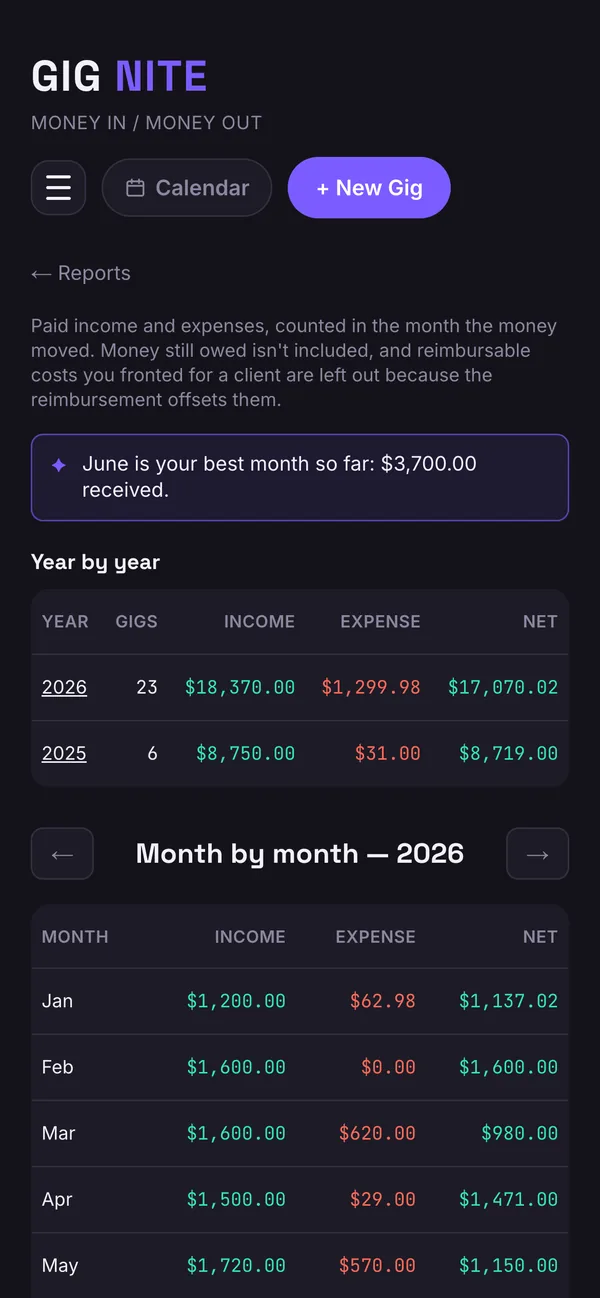
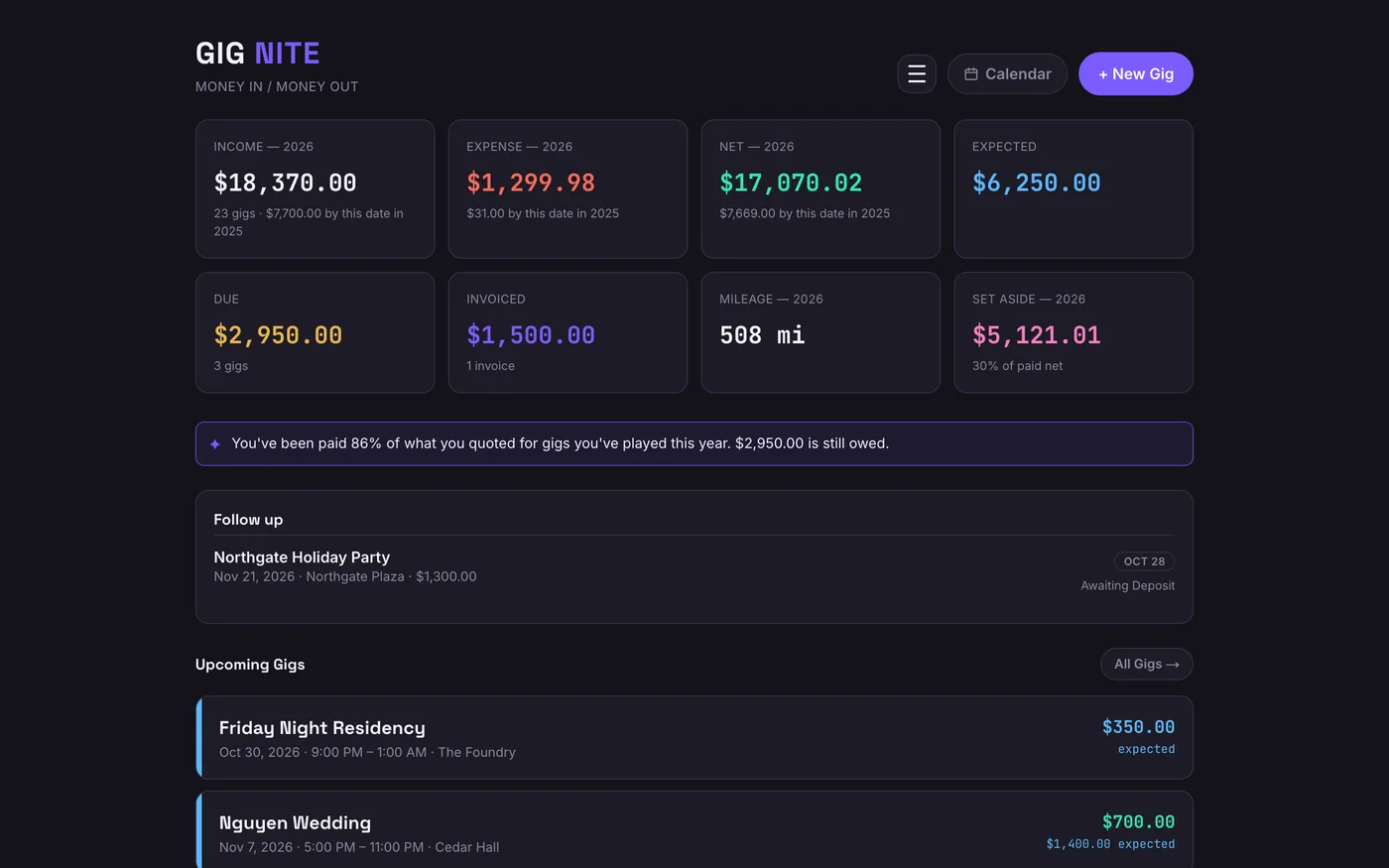
From the gig to what you kept
Log the gig
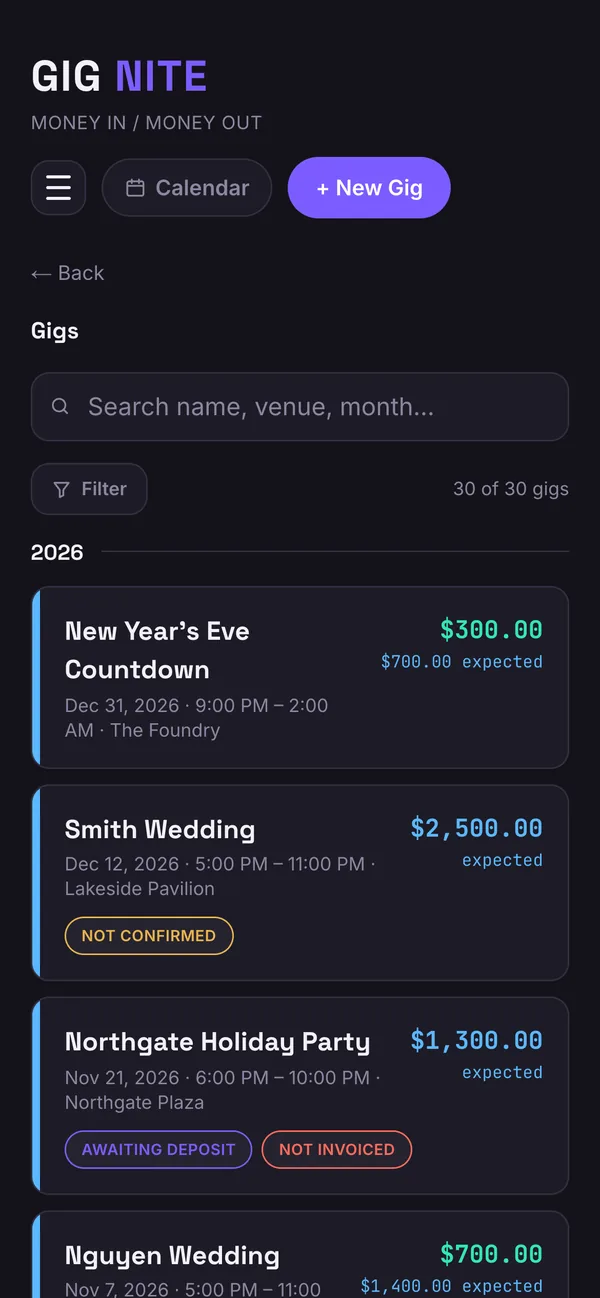
Add the date, venue, client and fee in under a minute. Add the deposit, mileage and expenses as they happen.
Send the invoice
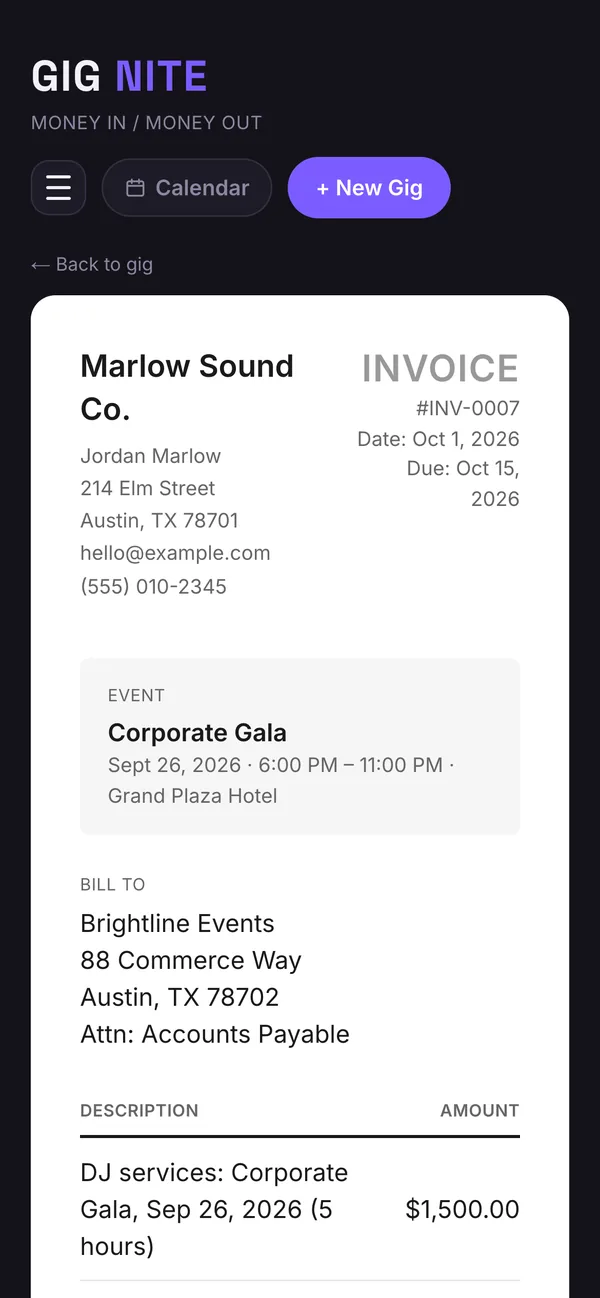
Make a clean PDF invoice from the gig and send it from your phone. Gig Nite tracks whether it's been sent and paid, and reminds you when it's time to bill each payer.
See what you kept
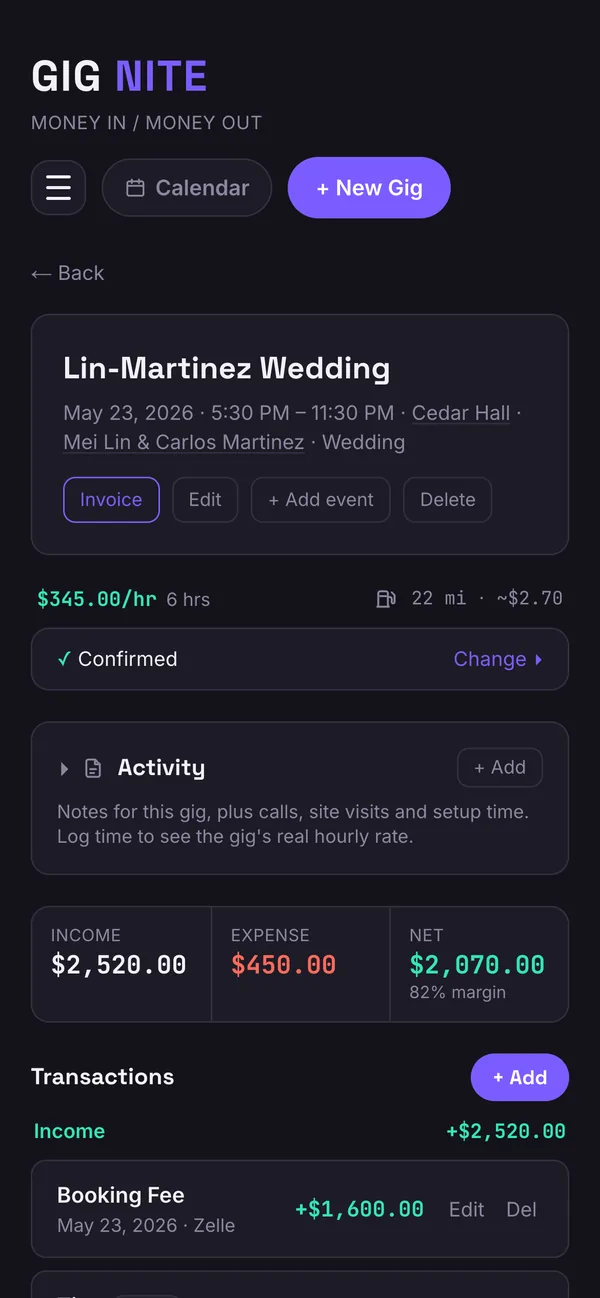
Net, margin and hourly rate on every gig, plus monthly and quarterly reports and a CSV your accountant can use.
Know your real take-home
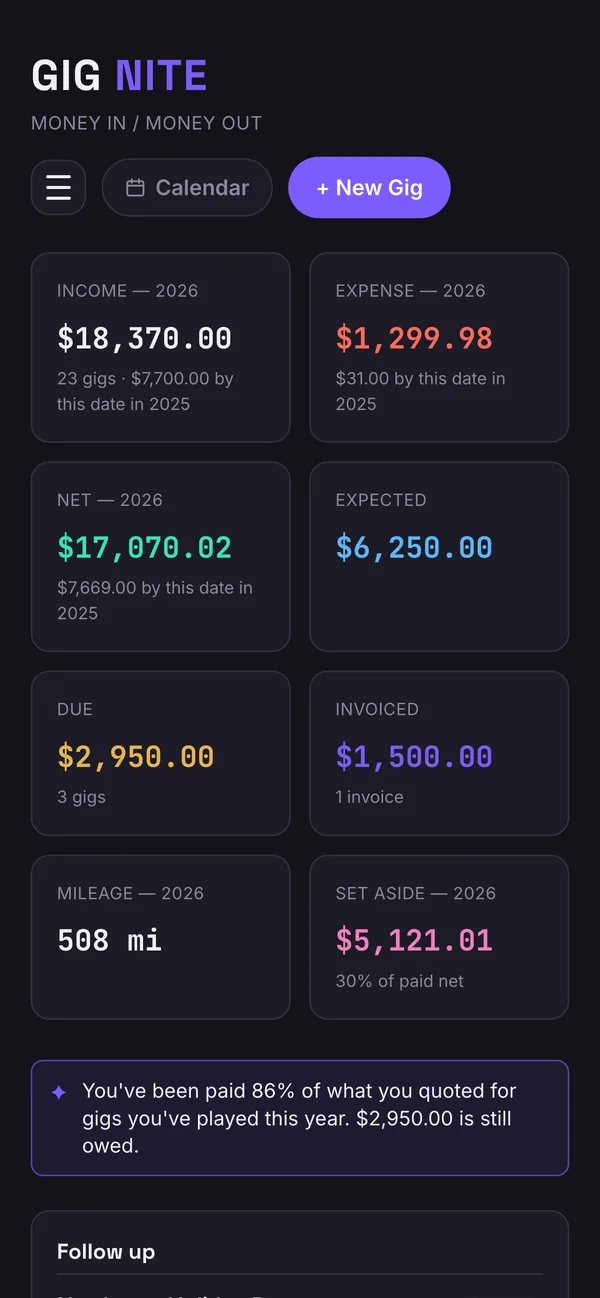
See what each gig actually netted after deposits, expenses, mileage and gas, not just what you quoted.
Chase fewer invoices
See what's paid, pending and overdue at a glance, and get a nudge when it's time to bill each client.
Be ready for tax time
Quarterly tax reminders, totals by client for 1099 season, and a CSV your accountant or QuickBooks can use.
Install it like an app
Gig Nite runs in your browser, so there's nothing to download from an app store. Add it to your phone or computer and look for this icon.
- Open gignite.net in Safari.
- Tap the Share button (the square with an arrow, at the bottom).
- Scroll down and tap Add to Home Screen, then Add.
- Open gignite.net in Chrome.
- Tap the ⋮ menu at the top right.
- Tap Add to Home screen (or Install app), then Install.
- Open gignite.net in Chrome or Edge.
- Click the install icon at the right end of the address bar. If you don't see it, open the browser menu and choose Install Gig Nite (in Chrome: Cast, save and share → Install page as app).
- Gig Nite then opens in its own window, and you can pin it to your dock or taskbar.

Why I built this
I've been a DJ for over 20 years: weddings, private events, and bar and club residencies. And for most of that time, I didn't really know my numbers.
I never ran it like a business. I'd quote a gig, hope to get paid, and move on. At tax time there was never money set aside, so it was a shock every year, and I'd end up paying last year's taxes out of this year's gigs.
I wanted to know what every gig actually cost me, and who still owed me. So I built Gig Nite.
It's built with feedback from other working DJs in a private beta, and I read every message.
Questions
Who is Gig Nite for?
DJs, photographers, videographers and other entertainment and event freelancers who get paid per gig and want to know what each one actually earned.
Can I try it?
Gig Nite is in private beta, so you need an invitation to sign in. Tap Request an invite and tell us what you do.
What does it cost?
Gig Nite is free during the private beta. We'll share pricing before the beta ends.
Do I need a Google account?
You sign in with Google. Connecting Google Calendar is separate and optional, and you can turn it off at any time.
Does it work on my phone and my laptop?
Yes. It's designed phone-first and works in any browser, so you can log a gig from the car and review your numbers at a desk. You can also install it like an app, and the steps are in the Install section above.
Does it send invoices to my clients?
Gig Nite creates the invoice and tracks whether it's been sent and paid. It also reminds you when it's time to bill each payer. You send the invoice yourself.
Is this tax software?
No. Gig Nite is a record-keeping tool. It organizes your income, expenses and mileage and exports reports for your accountant, but it doesn't prepare or file taxes.
What happens to my data?
We don't sell your data or use it for advertising. Details, including how Google Calendar data is handled, are in the Privacy Policy.
Know what your next gig really pays.
Gig Nite is in private beta. Tell us what you do and we'll send an invite.
Free during the beta
Your data stays yours. We don't sell it or use it for advertising.
Built for working freelancers
Gig Nite is a record-keeping tool, not a tax preparer or accountant. Always confirm deadlines and amounts with a qualified tax professional.
Google Calendar (optional)
Connecting Google Calendar is your choice and can be turned off at any time. If you connect it, Gig Nite uses your calendar to:
- Show your calendar events next to your gigs, so you can see your availability and avoid double-booking.
- Add the gigs you save as calendar events, and keep them updated or remove them if you change or delete the gig.
- Invite people you choose, such as a partner or assistant, to the gig events you create.
Gig Nite does not store your calendar events, sell your data or use it for advertising. Its use of information from Google APIs follows the Google API Services User Data Policy, including the Limited Use requirements. Details are in our Privacy Policy.